Vue.js中Line第三方登录api的实现代码
(编辑:jimmy 日期: 2026/1/25 浏览:2)
国际化的项目就会用用到一些第三方的登录api,这次记录一下Line 的!
按步骤来:
注册Line账号就不说了,虽然麻烦,这就自己去想办法了!
demo 请狠狠的戳这里 http://download.lllomh.com/cliect/#/product/J417081951162505
一:开发者平台配置
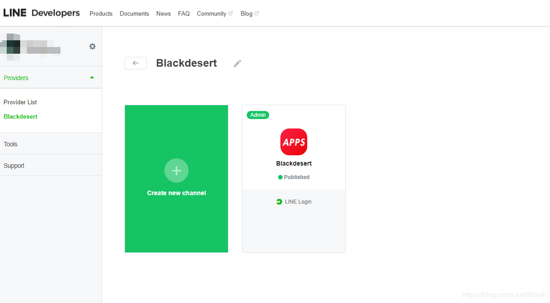
去Line 的开发者平台 新建一个App:
https://developers.line.biz/en/
 "text-align: center">
 "text-align: center">
 "text-align: center">
 "htmlcode">
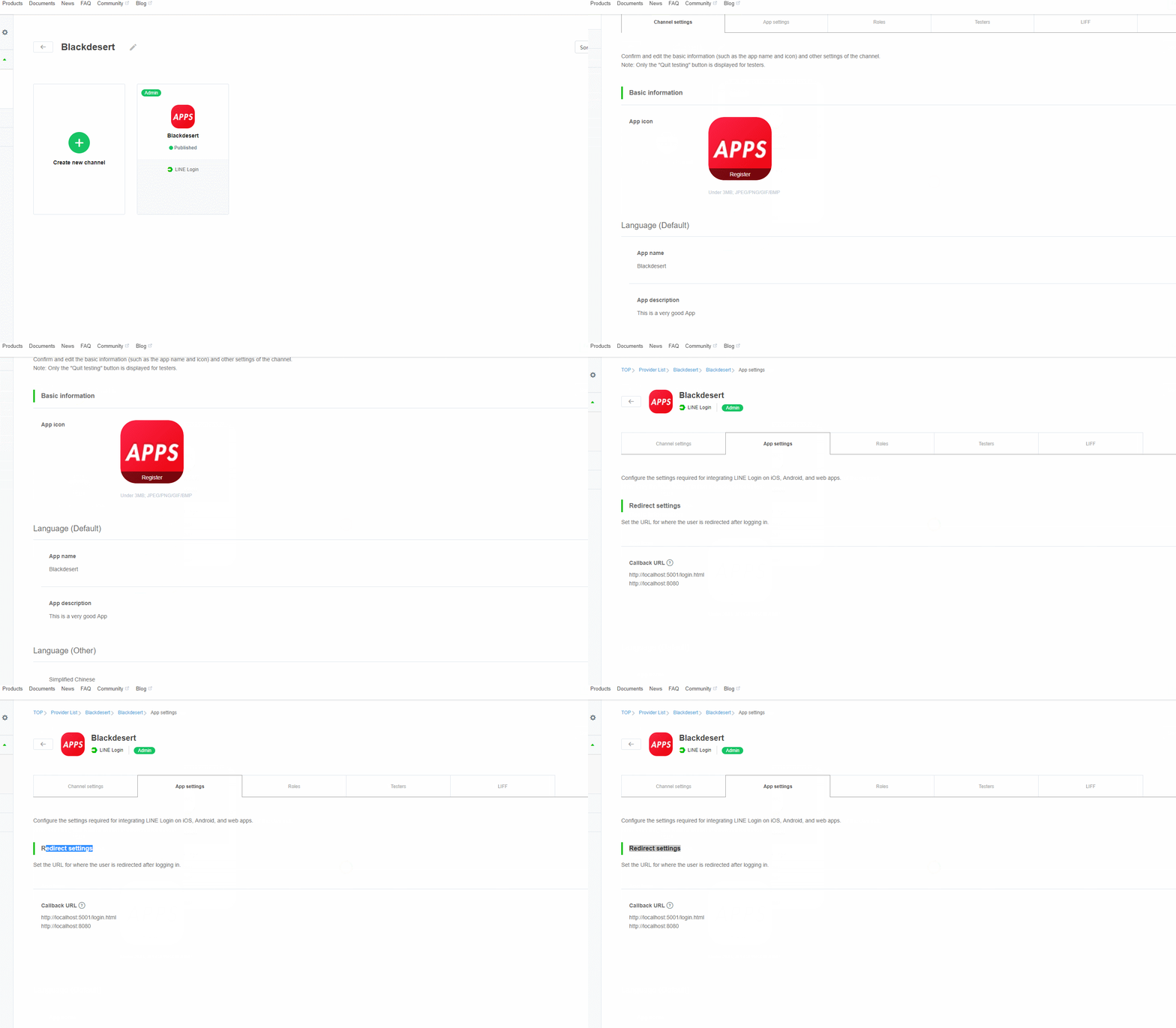
'client_id'  => '5431649755',
'client_secret'=> '234b6e64c13285e6d058ff7b1bbc8e'
关键是这里的重定向地址要填(几乎所有第三方都要):
 "color: #ff0000">二:代码部署
核心获取第三方的部分
壹:组件封装:
1,起始:这里就
const { code } = queryString.parse(window.location.search.replace('"htmlcode">
async created() {
const { code } = queryString.parse(window.location.search.replace('"htmlcode">
async getToken(code) {
const result = new OAuthRequest({
code: code,
clientId: this.clientId,
clientSecret: this.clientSecret,
redirectUri: this.callbackUri
})
const params = new URLSearchParams()
linq.from(result.getPostable()).select(x => params.append(x.key, x.value)).toArray()
const { data } = await axios.post('https://api.line.me/oauth2/v2.1/token', params)
console.log(data,"data")// 这里拿到返回的第三方的结果个人信息
return new OAuthResult(data)
},
贰:组件封装:
1,组件使用:
除了 那个 三个参数,其他的一些 就看着修改整合吧
<template>
<div id="app">
<line-login-button
:client-id="clientId"
:client-secret="clientSecret"
:callback-uri="callbackUri"
@result="result"
add-friend
friend-required></line-login-button>
1232131
</div>
</template>
<script>
import LineLoginButton from './components/LineLoginButton'
export default {
data() {
return {
clientId: '2323649755',
clientSecret: '323128b6e64c13285e6d058ff7b1bbc8e',
callbackUri: 'http://localhost:8080' //这里要跟开发者平台中填写的一致
}
},
// created() {
// this.clientId = process.env.VUE_APP_LINE_CLIENT_ID
// this.clientSecret = process.env.VUE_APP_LINE_CLIENT_SECRET
// this.callbackUri = process.env.VUE_APP_LINE_CALLBACK_URL
// },
components: {
LineLoginButton
},
methods: {
result(res) {
console.log(res)
}
}
}
</script>
<style>
#app {
font-family: 'Avenir', Helvetica, Arial, sans-serif;
-webkit-font-smoothing: antialiased;
-moz-osx-font-smoothing: grayscale;
text-align: center;
color: #2c3e50;
}
#nav {
padding: 30px;
}
#nav a {
font-weight: bold;
color: #2c3e50;
}
#nav a.router-link-exact-active {
color: #42b983;
}
</style>
记得安装 这个插件所需的插件:
import queryString from 'querystring'
import axios from 'axios'
import OAuthRequest from '../Entities/OAuthRequest'
import linq from 'linq'
import OAuthResult from '../Entities/OAuthResult'
结果:
 "text-align: center">
 "color: #ff0000">总结

下一篇:vue实现列表滚动的过渡动画
在去年的5月23日,借助Intel Bridge Technology以及Intel Celadon两项技术的驱动,Intel为PC用户带来了Android On Windows(AOW)平台,并携手国内软件公司腾讯共同推出了腾讯应用宝电脑版,将Windows与安卓两大生态进行了融合,PC的使用体验随即被带入到了一个全新的阶段。